
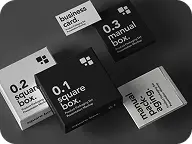


The files are built as fully layered PSD documents where you just need to double-click the designated smart object layer, drop in your artwork, and save to see it update on the 3D surface.
Branding Mockups
Branding Mockup - a collection of free mockups, templates, and design resources available for download.
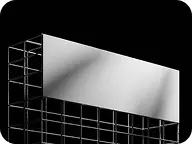
Keeping your portfolio presentation grounded in reality requires a versatile set of assets, which is why this collection of branding mockup options covers everything from standard business stationery and identity sets to niche scenarios like a hotel branding set with toiletries or a cafe branding set with packaging, menu, and receipt. You'll find a wide range of environments, including billboard mockups for large-scale tests, MacBook and iPad presentation mockups for digital touchpoints, and tactile details found in foil and deboss logo mockups.
Frequently Asked Questions
How do I apply my designs to the stationery items?
Is there an option to change the color to match the branding palette?
Yes, you can change the colors in most mockups using color fill layers, though you should verify the customization options in the description of each specific file.
Can I apply foil and deboss effects to my logo vector shape?
In most cases, foil and deboss effects are pre-configured as Smart Object effects in the scene. You insert your logo, and the effect is already mapped to the surface. Check the product description to confirm which finishes are included in a specific scene.